> ## Documentation Index
> Fetch the complete documentation index at: https://docs.interhuman.ai/llms.txt
> Use this file to discover all available pages before exploring further.

# Get an API key

> Create an Interhuman account and generate API keys from the platform.

Use [https://platform.interhuman.ai](https://platform.interhuman.ai) to create and manage your API keys.

## New to Interhuman? Start here

1. Go to [https://platform.interhuman.ai](https://platform.interhuman.ai).
2. Sign up for a free account.
3. Follow the onboarding steps and you will quickly get an API key.

## Already have an account? Create a key

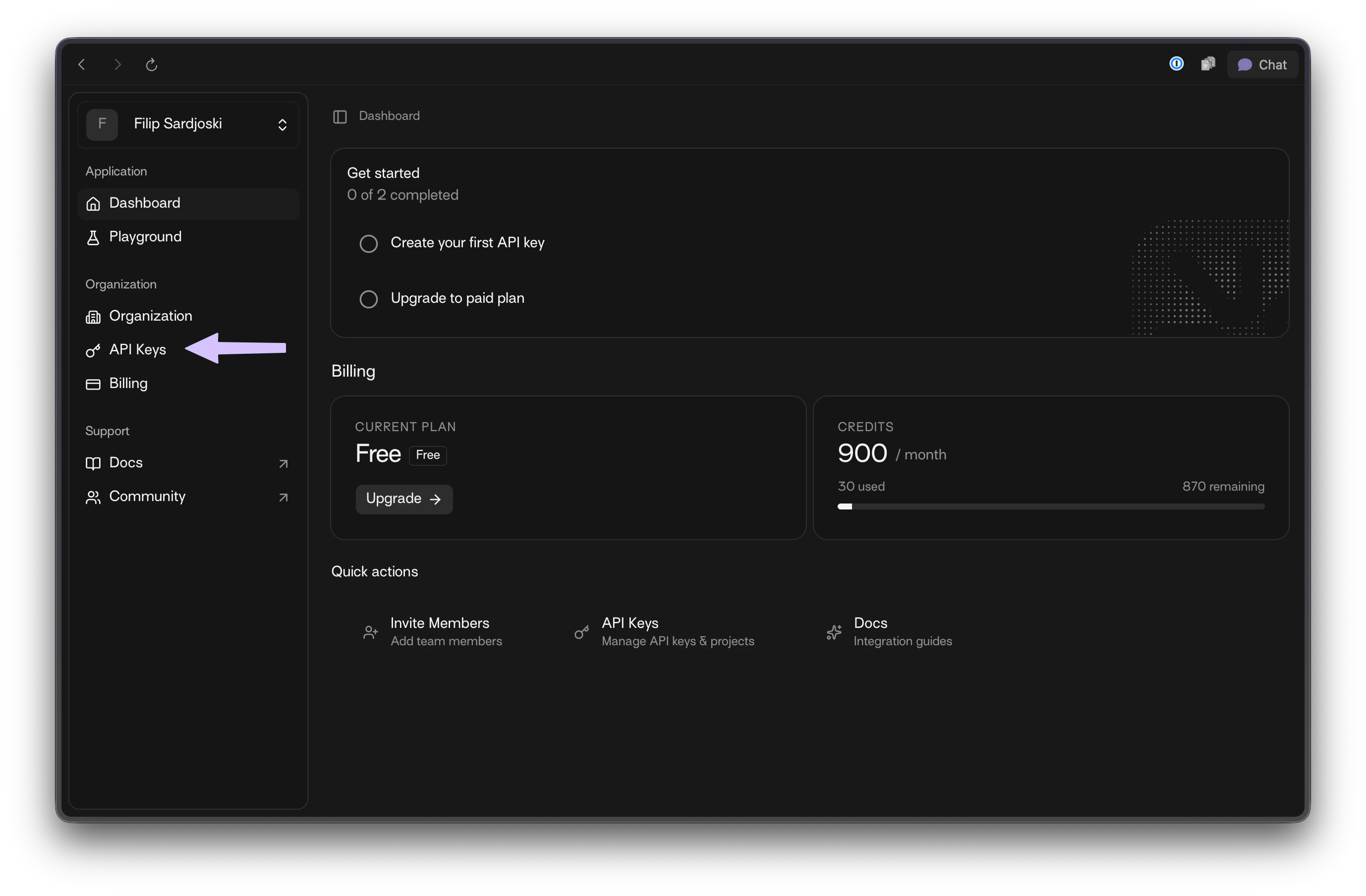
1. From the dashboard sidebar, open **API Keys**.
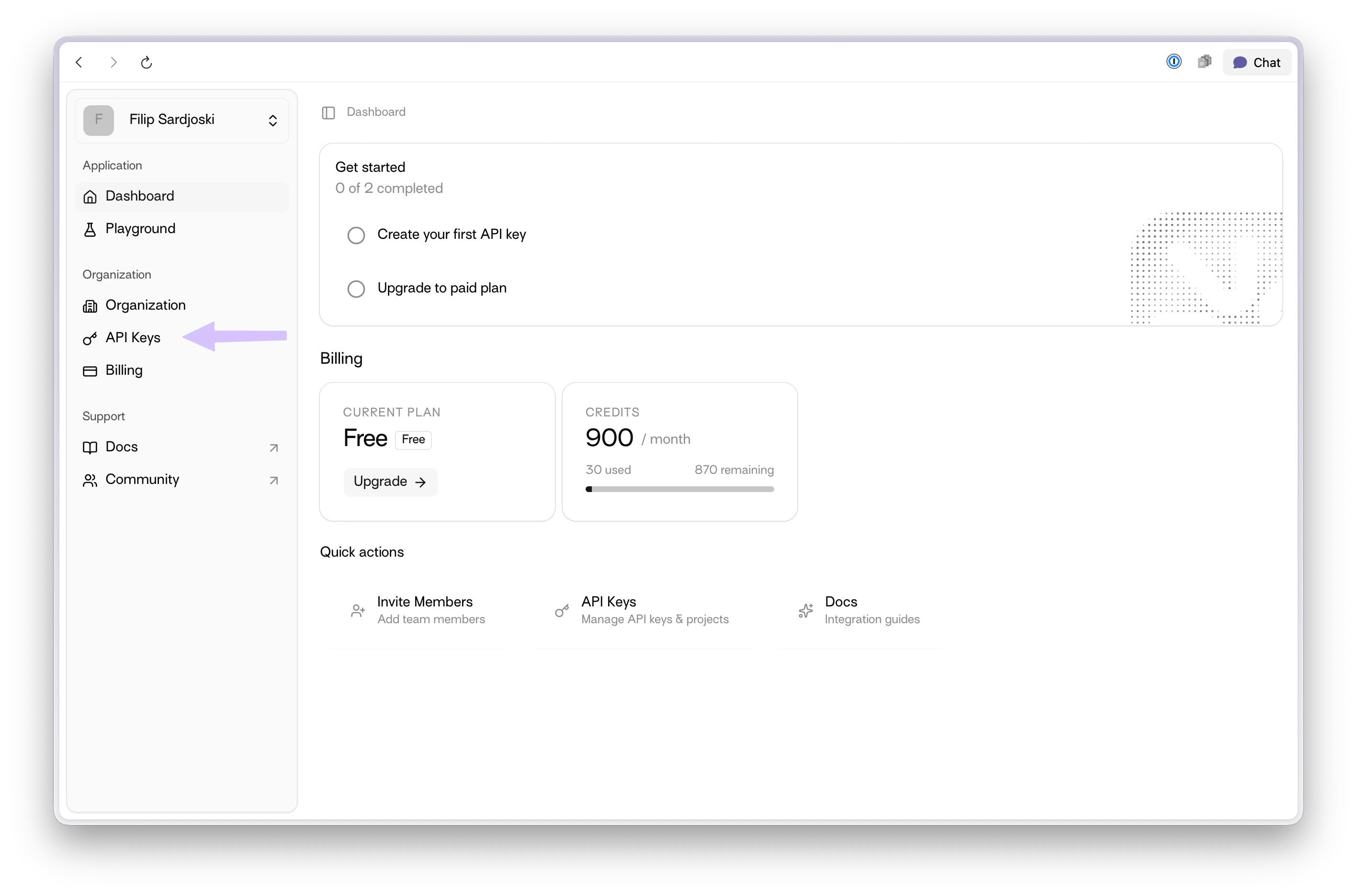
<img src="https://mintcdn.com/interhumanai/mtCESHbhccBBsze0/assets/get-api-key/how-to-get-api-key-1-light.png?fit=max&auto=format&n=mtCESHbhccBBsze0&q=85&s=7271fdb0eed6a60850a60d2d32c21b84" alt="Dashboard with API Keys menu item highlighted" className="block dark:hidden" width="2834" height="1872" data-path="assets/get-api-key/how-to-get-api-key-1-light.png" />

<img src="https://mintcdn.com/interhumanai/mtCESHbhccBBsze0/assets/get-api-key/how-to-get-api-key-1-dark.png?fit=max&auto=format&n=mtCESHbhccBBsze0&q=85&s=265e9a2b997f6c7fbbb017703a51e7b7" alt="Dashboard with API Keys menu item highlighted" className="hidden dark:block" width="2756" height="1808" data-path="assets/get-api-key/how-to-get-api-key-1-dark.png" />

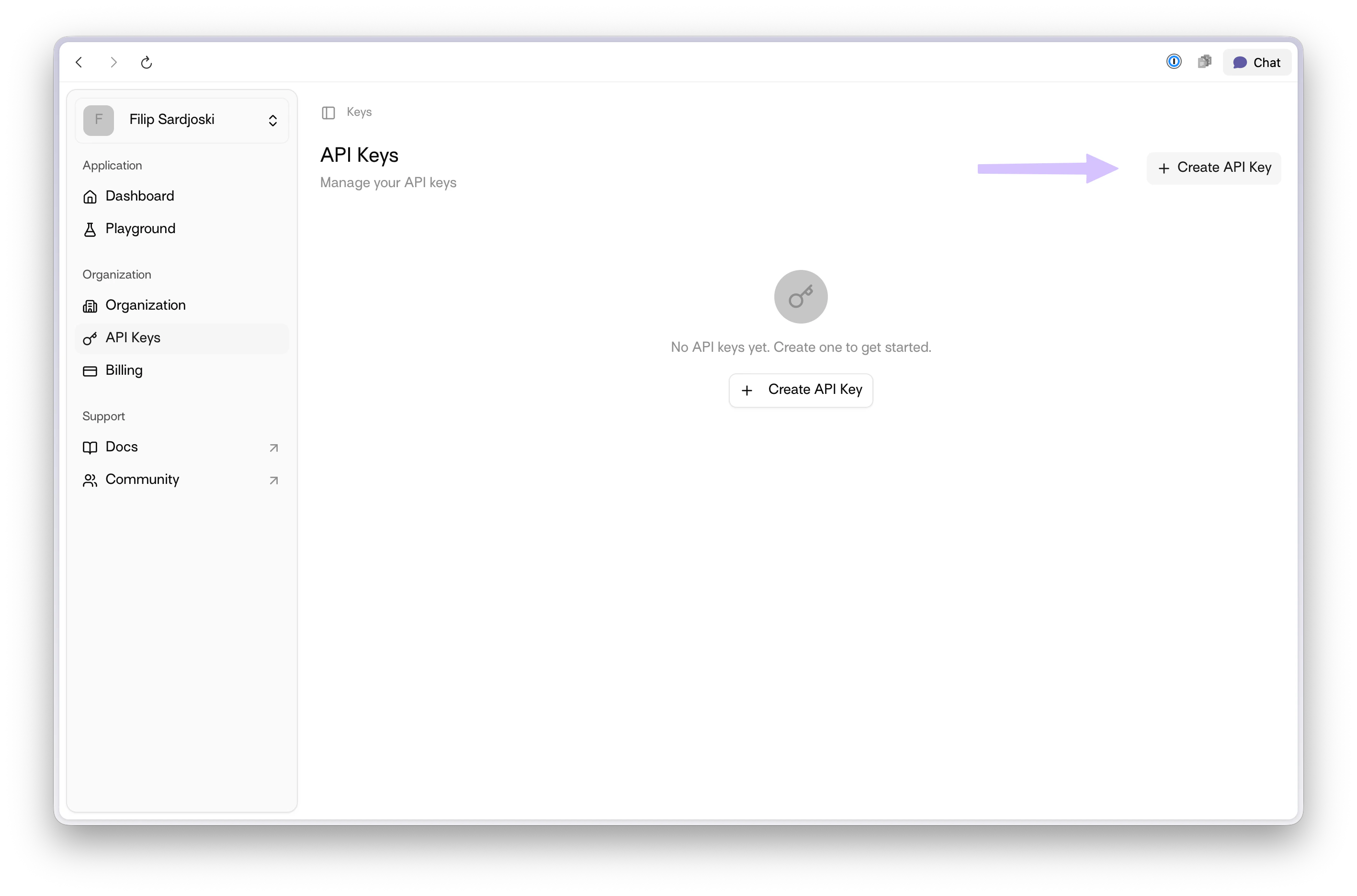
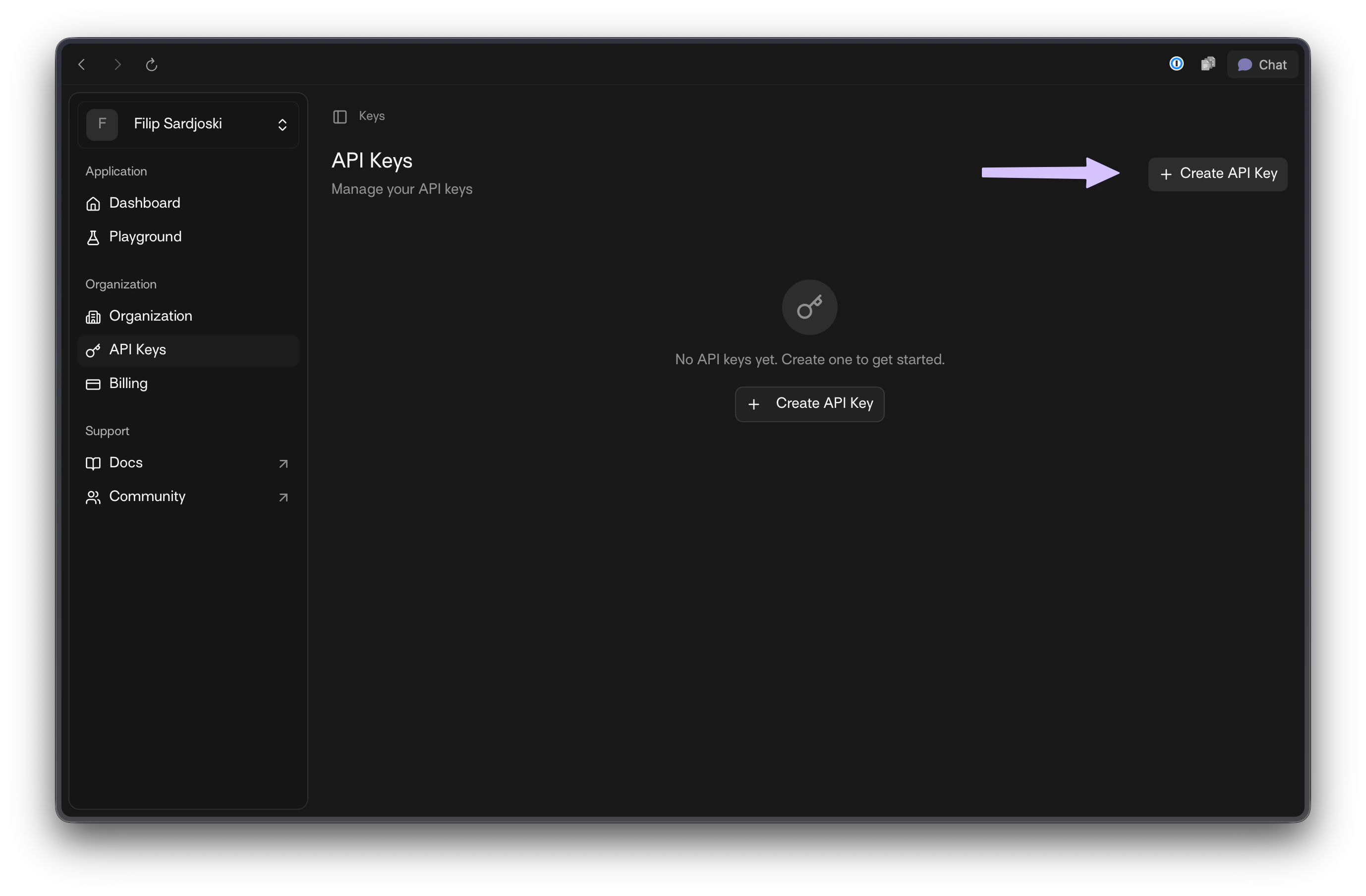
2. Click `+ Create API Key`.

<img src="https://mintcdn.com/interhumanai/mtCESHbhccBBsze0/assets/get-api-key/how-to-get-api-key-2-light.png?fit=max&auto=format&n=mtCESHbhccBBsze0&q=85&s=d36aeab030427e0fde84f2a8e64a940d" alt="API Keys page with + Create API Key highlighted" className="block dark:hidden" width="2834" height="1872" data-path="assets/get-api-key/how-to-get-api-key-2-light.png" />

<img src="https://mintcdn.com/interhumanai/mtCESHbhccBBsze0/assets/get-api-key/how-to-get-api-key-2-dark.png?fit=max&auto=format&n=mtCESHbhccBBsze0&q=85&s=8185295cdf08b0587d75632c09f11599" alt="API Keys page with + Create API Key highlighted" className="hidden dark:block" width="2756" height="1808" data-path="assets/get-api-key/how-to-get-api-key-2-dark.png" />

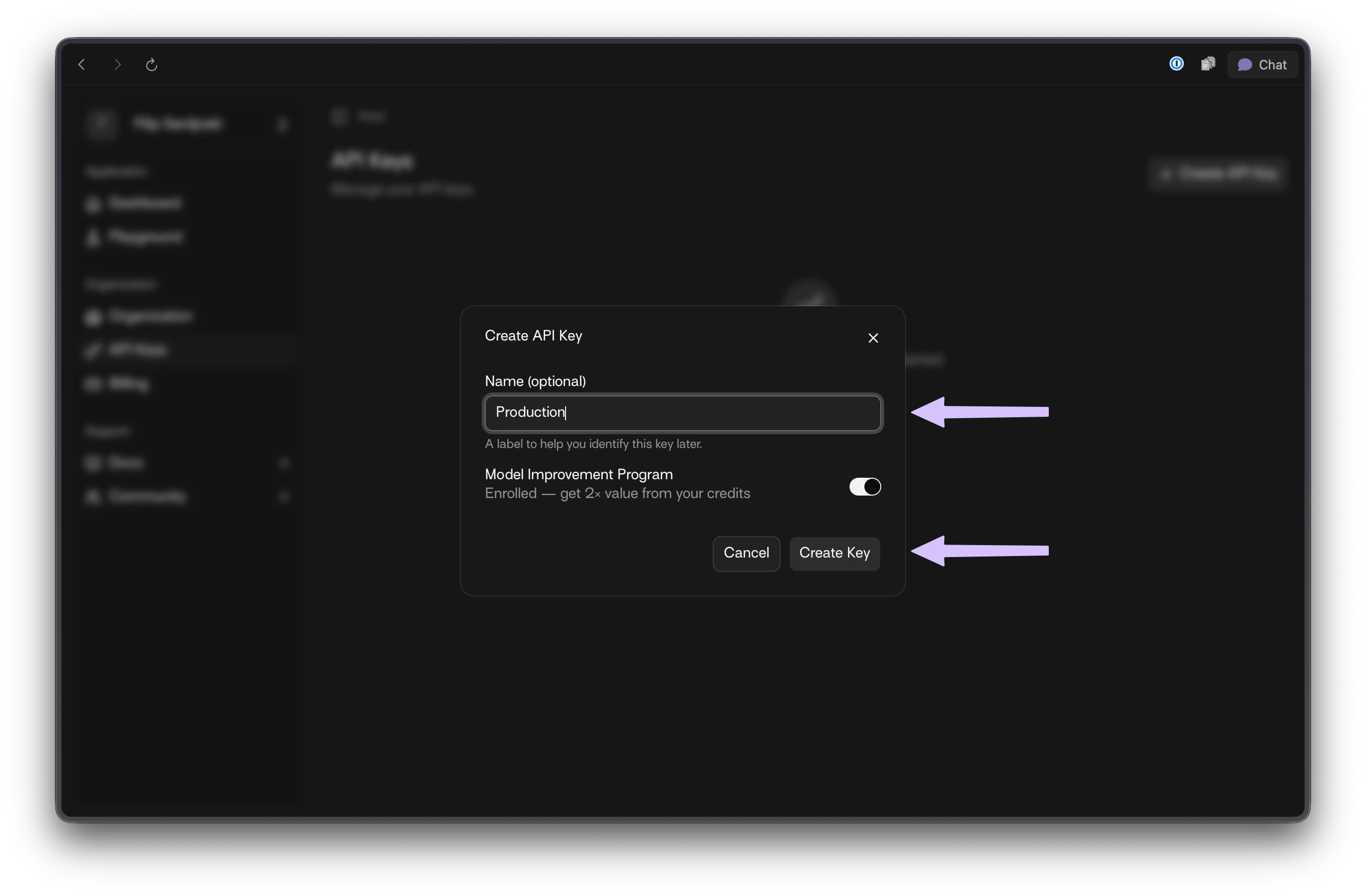
3. Enter a name for your key and choose whether [Model Improvement Program](/explanations/model-improvement-program) is enabled.
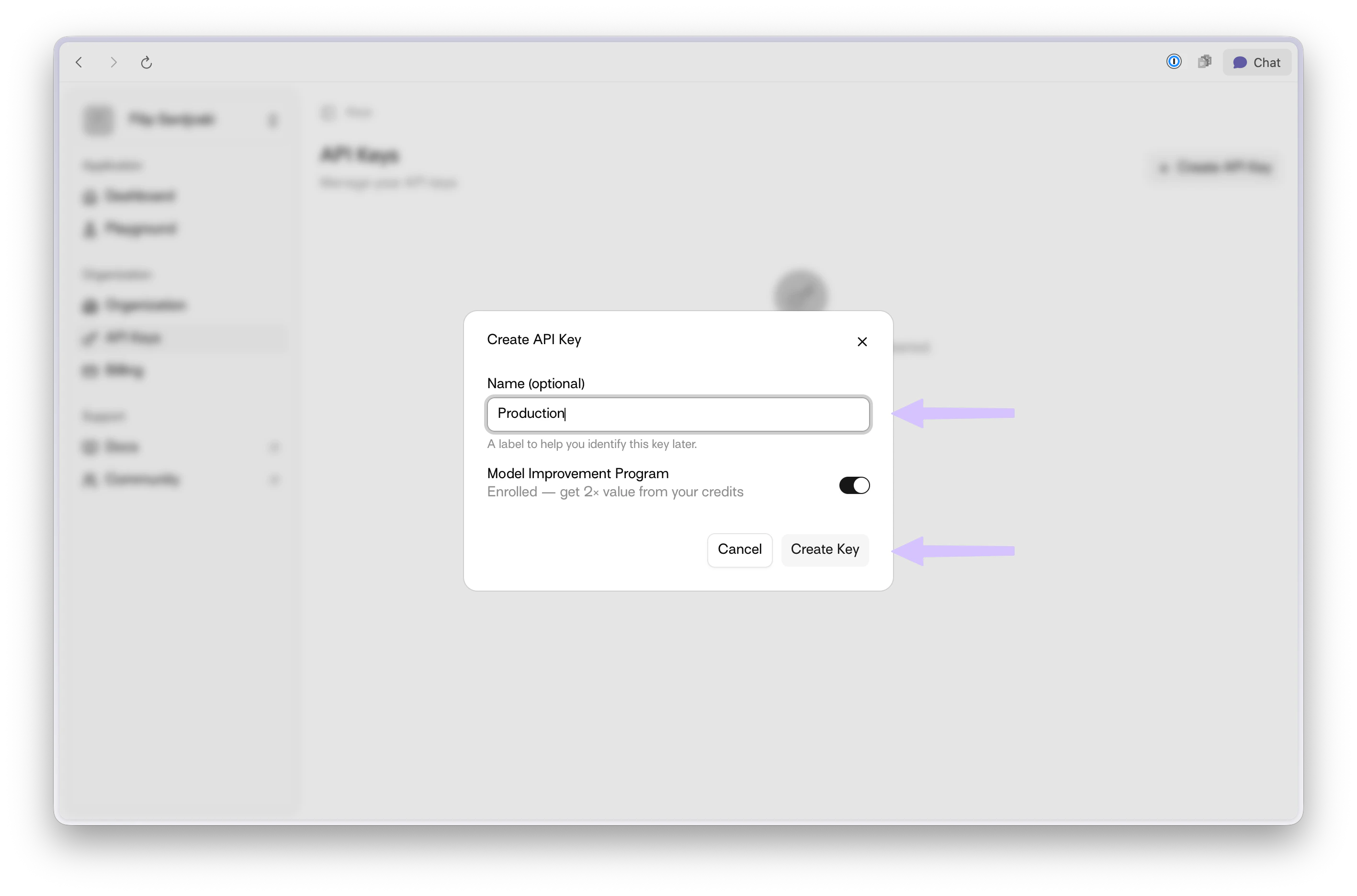
<img src="https://mintcdn.com/interhumanai/mtCESHbhccBBsze0/assets/get-api-key/how-to-get-api-key-3-light.png?fit=max&auto=format&n=mtCESHbhccBBsze0&q=85&s=61e5e019512fb051af45ffed1af635f9" alt="Create API Key modal with name field and MIP toggle highlighted" className="block dark:hidden" width="2834" height="1872" data-path="assets/get-api-key/how-to-get-api-key-3-light.png" />

<img src="https://mintcdn.com/interhumanai/mtCESHbhccBBsze0/assets/get-api-key/how-to-get-api-key-3-dark.png?fit=max&auto=format&n=mtCESHbhccBBsze0&q=85&s=7009cf87620efed3aa5f135c7c3b8251" alt="Create API Key modal with name field and MIP toggle highlighted" className="hidden dark:block" width="2756" height="1808" data-path="assets/get-api-key/how-to-get-api-key-3-dark.png" />

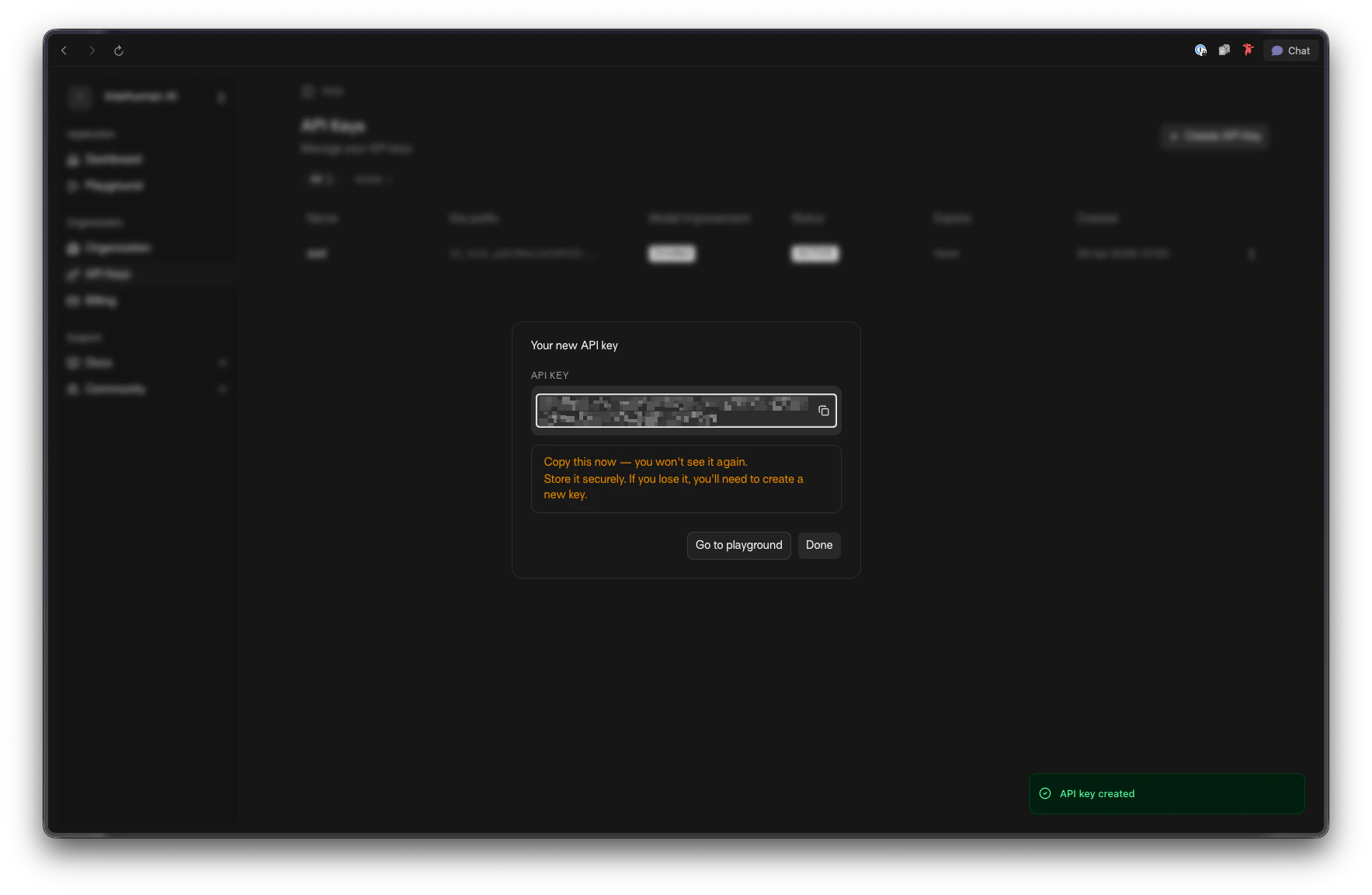
4. Copy and securely store your generated credentials.
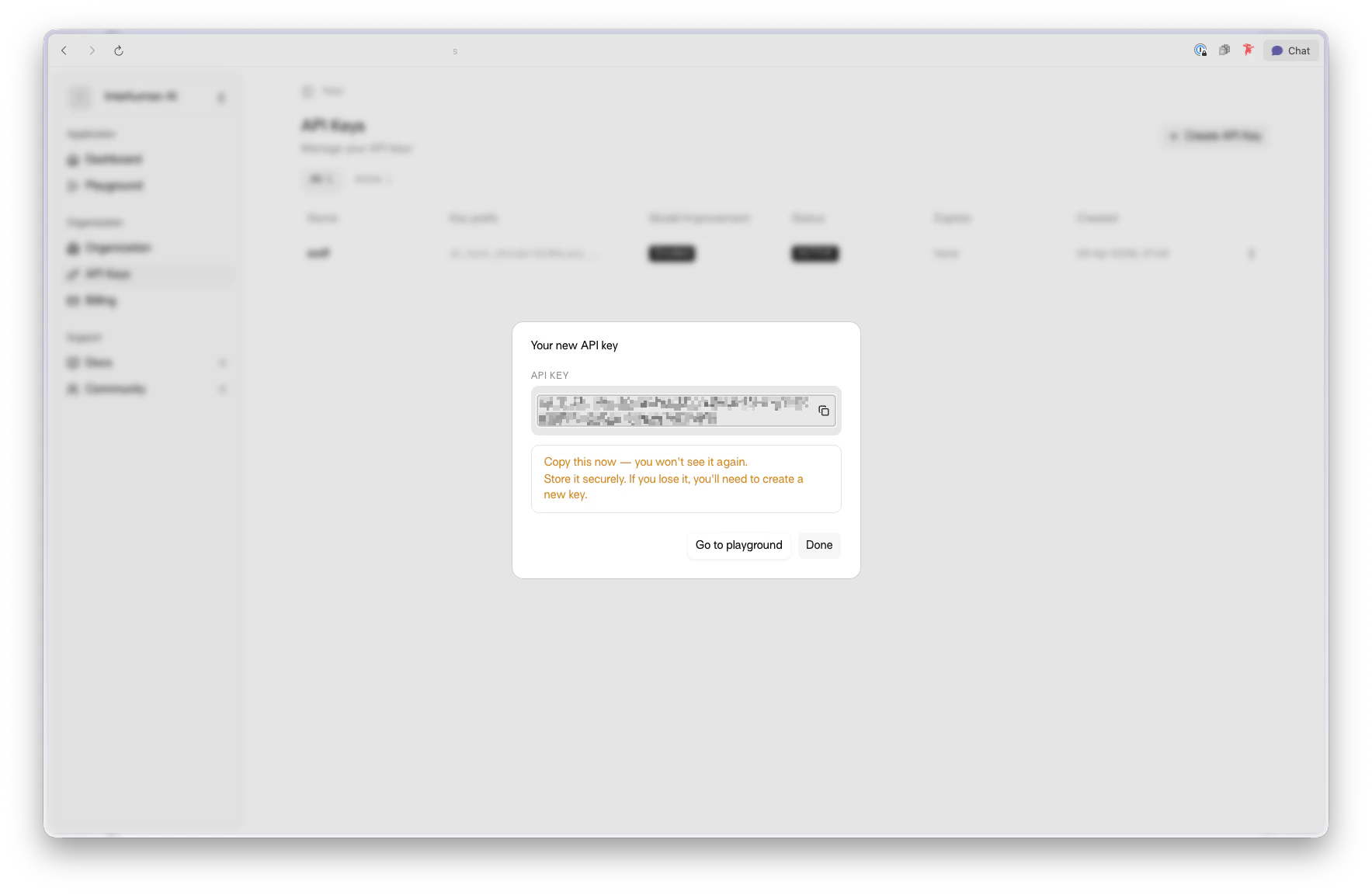
<img src="https://mintcdn.com/interhumanai/U8kAuWBRdiorl85E/assets/get-api-key/how-to-get-api-key-4-light.png?fit=max&auto=format&n=U8kAuWBRdiorl85E&q=85&s=1f7543fc8faa6bff9d8330afac9aa5fb" alt="Generated API key and key ID shown after creation" className="block dark:hidden" width="1767" height="1153" data-path="assets/get-api-key/how-to-get-api-key-4-light.png" />

<img src="https://mintcdn.com/interhumanai/U8kAuWBRdiorl85E/assets/get-api-key/how-to-get-api-key-4-dark.png?fit=max&auto=format&n=U8kAuWBRdiorl85E&q=85&s=a0ebf9799e53abbdab14c527341d716e" alt="Generated API key and key ID shown after creation" className="hidden dark:block" width="1767" height="1153" data-path="assets/get-api-key/how-to-get-api-key-4-dark.png" />

<Warning>
  Your API key is shown only once when the key is created. Store it in a secure secret manager immediately.
</Warning>

## Next: use your API key directly

You can now use your API key directly when calling the API.

```bash theme={null}
export API_KEY="YOUR_API_KEY"
export VIDEO_PATH="path_to_your_video.mp4"

curl -X POST https://api.interhuman.ai/v1/upload/analyze \
  -H "Authorization: Bearer ${API_KEY}" \
  -F "file=@${VIDEO_PATH};type=video/mp4"
```

Next step: [Upload & Analyze API](/api-reference/upload-analyze)